
Imagine building a working IoT demo - sensors sending data, a live dashboard updating in real time, alerts firing - in less than a day. Not days. Not weeks. Just hours. That’s what vibe coding makes possible today. No more staring at a blank editor wondering where to start. No more wrestling with MQTT brokers or debugging Python scripts for hours. You just describe what you want in plain English, and an AI writes the code for you.
What Is Vibe Coding, Really?
Vibe coding isn’t magic. It’s not replacing developers. It’s giving them a superpower. Coined by Andrej Karpathy in early 2025, it’s the practice of describing software behavior in natural language - like you’re explaining it to a teammate - and letting an AI like GitHub Copilot or Amazon CodeWhisperer turn that into working code. For IoT, this means you can say:“Simulate 5 temperature sensors sending data every 5 seconds to AWS IoT Core. Values between 20°C and 25°C. If the network drops, retry 3 times with exponential backoff. Send the data to a Grafana dashboard with a line chart.”
And within seconds, you get Python code that spins up simulated sensors, connects to AWS IoT Core using MQTT, handles reconnections, and even generates the dashboard configuration. No manual wiring. No copy-pasting from Stack Overflow. Just intent → code.
This isn’t theory. In a 2025 case study by Riseup Labs, teams cut IoT demo development time from 40-60 hours down to 4-8. That’s a 90% drop. And it’s not just for coders. Farmers, facility managers, and product designers with zero Python experience are now building functional prototypes after just 8 hours of training.
How Vibe Coding Works for IoT Device Simulation
The biggest bottleneck in IoT demos? Simulating devices. Real sensors cost money. Hardware takes time to ship. Firmware debugging is slow. Vibe coding skips all that.You don’t need an ESP32 or a Raspberry Pi. You write a prompt like:
“Create a Python script that simulates a soil moisture sensor. Send readings every 10 seconds to an MQTT broker at mqtt://iot-core.example.com. Random values between 10% and 90%. Add a 5% chance of sensor failure every 20 cycles. Log errors to a file.”
The AI generates a script that:
- Uses the paho-mqtt library to connect to AWS IoT Core or HiveMQ
- Generates realistic sensor noise and occasional failures
- Handles disconnections gracefully
- Writes error logs to a local file
Run it on your laptop. Watch the data stream into the cloud. No soldering. No firmware flashing. No waiting for delivery.
Tools like GitHub Copilot X (released December 2025) now understand IoT-specific patterns. They know what an MQTT topic structure looks like. They know how to handle QoS levels. They’ve been trained on thousands of real IoT codebases. That’s why 42% fewer protocol errors happen now compared to early 2025.
But here’s the catch: AI-generated simulation code is often too clean. It doesn’t account for real-world chaos - delayed packets, power fluctuations, intermittent Wi-Fi. That’s why 68% of users say they spend extra time fixing edge cases. The AI gives you a starting point. You turn it into something real.
Building Cloud Dashboards Without Writing Frontend Code
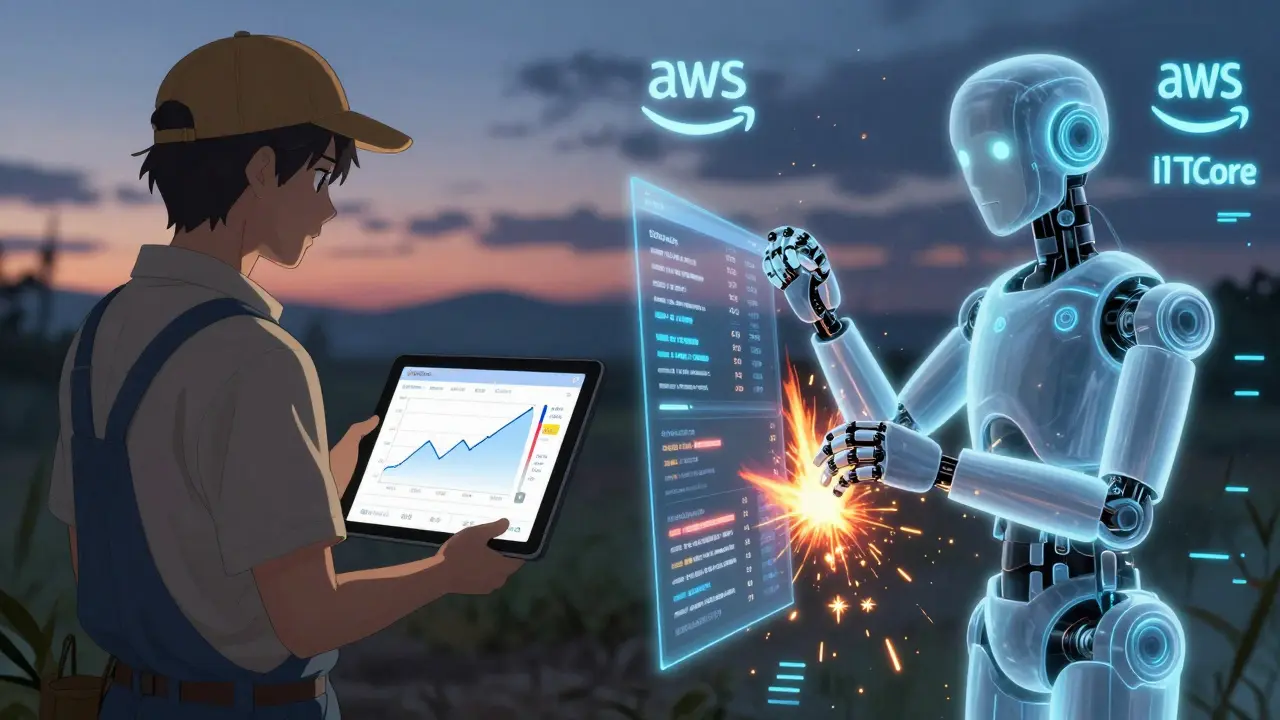
The second half of any IoT demo? The dashboard. You need to see the data. You need charts. You need alerts. Traditionally, that meant learning React, setting up a backend, connecting to a database, deploying it. Now? You say:“Create a Grafana dashboard with three panels: live temperature reading, a 24-hour history chart, and a status indicator that turns red if humidity drops below 15%. Connect to AWS IoT Core using MQTT. Auto-refresh every 3 seconds.”
The AI generates:
- A Grafana JSON configuration file
- A datasource setup for AWS IoT Core
- Panel definitions with correct query syntax
- Alert rules based on thresholds
You import the JSON into Grafana. Boom. Dashboard live. No HTML. No CSS. No JavaScript. In 2025, Joget’s analysis showed vibe coding hit a 4.7/5 score for dashboard creation speed - faster than any no-code platform.
It works with other tools too. Tableau. Power BI. Even custom React apps. Just prompt: “Generate a React component that pulls data from Firebase and renders a real-time gauge for battery levels.” The AI writes the useEffect hook, the socket connection, the state management. You paste it into your project.
But again - don’t trust it blindly. AI-generated dashboards often forget to handle missing data. Or they don’t refresh properly. Or they hardcode API keys. Always audit the output. Look for secrets. Check for memory leaks. Test under load.
What Vibe Coding Can’t Do (Yet)
Vibe coding is amazing for prototypes. But it’s not ready for production firmware. Not yet.Here’s where it falls short:
- Low-level hardware: Bluetooth LE, Zigbee, LoRa - 78% of developers struggled to get AI to generate reliable code for these. The AI doesn’t understand radio timing, packet headers, or power-saving modes.
- Memory-constrained devices: ESP32 chips have 512KB RAM. AI-generated firmware often exceeds 128KB. You’ll need to manually optimize.
- State machines: AI keeps messing up device mode transitions. One user reported 40% of logic had to be rewritten because the AI didn’t understand “idle → active → sleep” cycles.
- Security: 63% of initial AI-generated IoT code had hardcoded passwords, missing TLS, or unsecured endpoints. That’s a disaster waiting to happen.
MIT’s Professor David Chen warned in November 2025 that 89% of vibe-coded IoT demos failed stress tests after 72 hours. Why? Because AI doesn’t think about long-term stability. It thinks about “what works right now.”
That’s why enterprises don’t deploy this code directly. They use it to build demos fast - then hand it off to embedded engineers to rewrite the critical parts. The AI is the sketch artist. The human is the sculptor.
How to Get Started (Step by Step)
You don’t need to be a pro. Here’s how to start today:- Pick your AI tool: GitHub Copilot is the leader (58% market share). Amazon CodeWhisperer works well if you’re on AWS. Try both.
- Learn prompt engineering for IoT: Don’t just say “make a sensor.” Be specific. Include: device type, data frequency, protocol (MQTT/CoAP), cloud platform (AWS/Azure), and error handling.
- Start small: Simulate one sensor. Send data to a free MQTT broker like Mosquitto. Build a simple dashboard in Grafana. Get that working.
- Iterate: If the code breaks, ask the AI: “Why does this MQTT connection drop after 10 minutes?” or “How do I add retry logic?”
- Review everything: Look for secrets. Check for memory leaks. Test edge cases. Never push AI code to production without a human audit.
Training takes 15-20 hours to get good. But you can build your first working demo in under 2 hours.
Real-World Wins - And Pitfalls
On Reddit, a user built a smart agriculture demo with 10 soil sensors and a live dashboard in 6 hours. Normally, that would’ve taken 30. But they spent 4 extra hours fixing MQTT reconnection bugs the AI missed.A Siemens team cut their industrial IoT dashboard build time by 55%. But they had to create a “prompt library” so everyone used the same security standards. Otherwise, one team’s dashboard had passwords in plain text.
On HackerNews, a developer said: “I love that I can prototype fast. But I hate that I have to fix 30% of the code just to make it not break.”
That’s the pattern. Speed + frustration. Power + responsibility.
The Future: Specialized Tools and Hybrid Workflows
The next wave isn’t general AI coding. It’s IoT-specific AI.Startups like IoTFlow just raised $15 million to build LLMs trained only on IoT code - firmware, protocols, cloud integrations. Microsoft’s Azure AI Studio now has “IoT Vibe Templates” - one prompt generates a full device + dashboard package.
AWS is launching an “IoT Vibe Assistant” in Q2 2026 that’ll auto-generate secure device shadows and compliance-ready code.
But the smartest teams aren’t going all-in on AI. They’re using a hybrid model:
- AI handles: simulation logic, dashboard configs, API wrappers
- Humans handle: firmware, security, edge-case handling, long-term reliability
This is the future. Not AI replacing devs. AI helping devs do more - faster - and focus on what matters: making systems that actually work in the real world.
Final Thought: Speed Isn’t the Goal. Impact Is.
Vibe coding isn’t about writing less code. It’s about building more. Testing more. Learning more. If you’ve been stuck on an IoT idea for months because you didn’t know how to code the backend - this is your chance. Build the demo. Show it to your team. Prove the idea works. Then go back and make it solid.The best developers aren’t the ones who write the most code. They’re the ones who ship the most ideas. Vibe coding gives you that superpower. Use it wisely.
Can I use vibe coding if I don’t know how to code?
Yes. Non-technical users have built working IoT demos after just 8-10 hours of training. You need to learn how to write clear prompts - not Python. Focus on describing what you want: device behavior, data flow, dashboard layout. The AI handles the code. Tools like GitHub Copilot and Amazon CodeWhisperer are designed for this.
Is vibe coding secure for IoT projects?
Not by default. 63% of AI-generated IoT code has security flaws - hardcoded passwords, missing encryption, open ports. Always audit the output. Never trust AI to handle security. Add rules to your prompts: “Use TLS 1.3,” “Rotate certificates monthly,” “Never store keys in code.” Use Microsoft’s and NIST’s 2025 guidelines for secure AI-assisted IoT development.
What’s better: vibe coding or no-code platforms like Ubidots?
Vibe coding wins on flexibility. No-code tools are fast but locked into their own ecosystem. Vibe coding lets you generate code that runs anywhere - AWS, Azure, your own server. You get 40% more customization and can integrate with any tool (Grafana, Firebase, custom apps). But no-code is easier for absolute beginners. Choose vibe coding if you want to grow beyond templates.
Can vibe coding generate firmware for ESP32 or Arduino?
Not reliably. AI struggles with low-level hardware, memory limits, and timing-sensitive protocols like Bluetooth or Zigbee. 68% of generated firmware exceeds 128KB memory limits on ESP32. Use vibe coding for simulation and cloud logic - then hand off firmware to a hardware engineer.
Which AI tool is best for IoT vibe coding?
GitHub Copilot leads with 58% market share and best support for AWS, Azure, and MQTT. Amazon CodeWhisperer is strong if you’re already on AWS. For enterprise teams, proprietary tools from Microsoft and startups like IoTFlow are emerging with domain-specific training. Try Copilot first - it’s the most proven for IoT demos.
Marissa Martin
I just don't get how people are okay with handing over their entire workflow to an AI that doesn't understand the consequences of a memory leak or a hardcoded password. This isn't prototyping-it's negligence dressed up as innovation. I've seen what happens when 'just get it working' becomes the goal. It's not a demo anymore, it's a liability waiting for a breach. And now we're celebrating it?
Where's the responsibility? Where's the ethics? You don't just slap together code and call it a day. That's how systems fail. That's how data gets stolen. That's how trust evaporates.
James Winter
USA thinks it's the only one that can code now. Meanwhile, Canadian engineers are still fixing AI-generated code that crashes in the cold. This vibe coding stuff? It's a toy for people who don't want to learn. Real IoT runs on silicon, not chatbots.
Aimee Quenneville
so like... you just tell the robot 'make a sensor that doesn't die' and it just... does it??
cool. i guess.
also, my dashboard turned red because the AI forgot to handle 'no data'... again. lol. so... progress??
also also, i'm pretty sure the code has my cat's name as the mqtt password. not joking.
also also also, why does everything sound like a startup pitch now??
Cynthia Lamont
Let me be clear: this is not innovation. This is a dumpster fire with a UI. You think you're saving time? You're just outsourcing your brain to a model trained on Stack Overflow spam and GitHub repos from 2019.
63% of AI-generated IoT code has security holes? That's not a bug, that's a feature of incompetence. And now you're telling me farmers are using this? What happens when the soil sensor sends a 100MB log file because the AI didn't cap it? Who fixes it? You? At 2 a.m.?
And don't even get me started on the 'dashboard' that hardcodes AWS keys in plain text. That's not a demo. That's a federal investigation waiting to happen.
They call this 'vibe coding'? I call it 'vibe dying'.
And yes, I audited three of these projects last week. All three had the same three flaws. Every. Single. Time.
You're not building. You're gambling. And the house always wins.
Kirk Doherty
Used it to simulate a weather station for my garden. Worked in 90 minutes. Had to tweak the retry logic. Fixed the timezone in the log. That's it.
AI gave me 80%. I gave it the last 20%. That's all you need.
It's a tool. Like a hammer. Doesn't make you a carpenter. But helps if you know what you're doing.
Dmitriy Fedoseff
There's a deeper truth here, and no one's talking about it.
We're not just outsourcing code-we're outsourcing thought. When you stop learning how MQTT QoS levels work because the AI handles it, you stop understanding the system. You become a prompt writer, not a systems thinker.
And that's dangerous. Because when the AI fails-and it will-you have no foundation to fall back on.
This isn't about speed. It's about the erosion of mastery. We used to build things from the ground up because we had to. Now we build from the middle because we can.
What happens when the scaffolding disappears?
I'm not against tools. I'm against the illusion that tools replace understanding.
The AI gives you a sketch. But the soul of the system? That's still human. And if you don't know how to breathe life into it, you're not a builder. You're a spectator.
And spectators don't make things that last.