
When you ask an LLM a question, it doesn’t just think-it swallows memory and burns through compute. Behind every smooth chatbot reply is a hidden storm of data moving in and out of GPU memory, with transformer layers acting as the engine. Most people think the model’s size-7B, 70B, or 175B parameters-is the main problem. But in production, the real bottleneck isn’t the weights. It’s the key-value cache and the way attention scales with sequence length.
Why Transformer Layers Are So Heavy
Transformer layers are built on self-attention, a mechanism that lets each token in a sequence pay attention to every other token. That sounds powerful-and it is. But mathematically, attention scales with n², where n is the number of tokens. So if you double the input length, you quadruple the memory needed just for attention computations. That’s why a 32K-token context doesn’t just take twice as long-it takes 100 times more memory than a 3K context. The two biggest memory consumers in a running LLM are:- Model weights: These are the learned parameters. A 7B model in 16-bit precision (BF16/FP16) uses about 14 GB. A 70B model? Around 140 GB.
- Key-Value (KV) cache: This stores intermediate attention results so the model doesn’t recompute them on each new token. For a 7B model with 32 layers, 8 key-value heads, and a 4K sequence, the KV cache takes roughly 2 GB. But at 32K sequence length? That jumps to over 16 GB. For a 70B model? It can exceed 150 GB-more than the weights themselves.
Dr. Younes Belkada of vLLM put it bluntly: “For sequences longer than 8K tokens, KV cache memory consumption exceeds model weights in 70B+ parameter models.” That’s the new reality. The memory wall isn’t about storing the model anymore. It’s about storing its memory of what it’s already seen.
Memory-Bound vs. Compute-Bound: The Critical Divide
Not all LLM workloads are the same. Some are memory-bound. Others are compute-bound. Mistaking one for the other is the #1 reason production deployments fail.- Memory-bound: Your GPU is waiting for data. This happens when you’re serving long prompts or generating long responses. The system is stuck waiting for the KV cache to load from HBM. Snowflake’s tests showed that compressing the KV cache by 30x gave less than 3% throughput gain. Why? Because the bottleneck wasn’t cache size-it was how often the cache had to be read.
- Compute-bound: Your GPU is idle because it’s waiting for work. This happens during prefill-the first pass where the model processes the full input. The attention computation is intense, but the data is already in memory. Snowflake found that cutting prefill compute by 50% (using SwiftKV’s SingleInputKV layer reuse) boosted throughput by 47% for an 8B model and 52% for a 70B model.
Here’s the kicker: 68% of failed deployments optimized for memory when their workload was compute-bound. They compressed caches, used INT4 quantization, and still saw no improvement. Meanwhile, the teams that focused on prefill optimization-reducing redundant attention calculations-saw dramatic gains.
Optimization Techniques That Actually Work
You can’t just throw more GPUs at the problem. You need targeted fixes. Here’s what works in production today:1. FlashAttention-2 and FlashAttention-3
Standard attention needs O(n²) memory to store the attention matrix. FlashAttention uses tiling to reduce that to O(n). FlashAttention-2 (2024) cut memory usage by 40% and sped up inference by 2.33x on A100s. FlashAttention-3 (September 2024) improved it further-28% less memory, better kernel fusion. Now, you can run 128K-token sequences on an 80GB A100. Without it? You’d hit OOM errors at 4K.2. Quantization: INT8 and INT4
Reducing precision cuts memory and compute. INT8 (8-bit) halves memory usage and speeds up inference by 1.5-2x. For models over 13B, it’s standard. But INT4? Risky. Dr. Anna Rohrbach at Berkeley AI Research found an 8.7% accuracy drop on the MMLU benchmark for 70B models using INT4. That’s fine for casual chat. Not for legal or medical use. Calibration matters. Use INT4 only if you’ve tested it on your exact data.3. Tensor and Pipeline Parallelism
You can’t fit a 70B model on one GPU. So you split it.- Tensor parallelism: Splits attention heads across GPUs. Best for compute-bound workloads. Used in Megatron-LM. Adds 10-15% communication overhead.
- Pipeline parallelism: Splits layers across devices. Best for memory-bound workloads. But if your batch size is small, you get 15-20% throughput loss from idle GPUs waiting for the next layer.
One Reddit user tried running Llama 3 70B on 8xA100s with 32K context. After 45 minutes of tuning, they lost 22% throughput to pipeline overhead. They didn’t realize their workload was compute-bound. They should’ve used tensor parallelism instead.
4. SwiftKV and Pre-Fill Optimization
The newest breakthrough isn’t about memory-it’s about reducing compute during prefill. SwiftKV (launched September 2024) reuses key-value states across layers, cutting prefill compute by 50%. That’s huge. For code generation or reasoning tasks, where the input is long but the output is short, this is the game-changer. No more waiting 10 seconds for the model to “think” before it starts replying.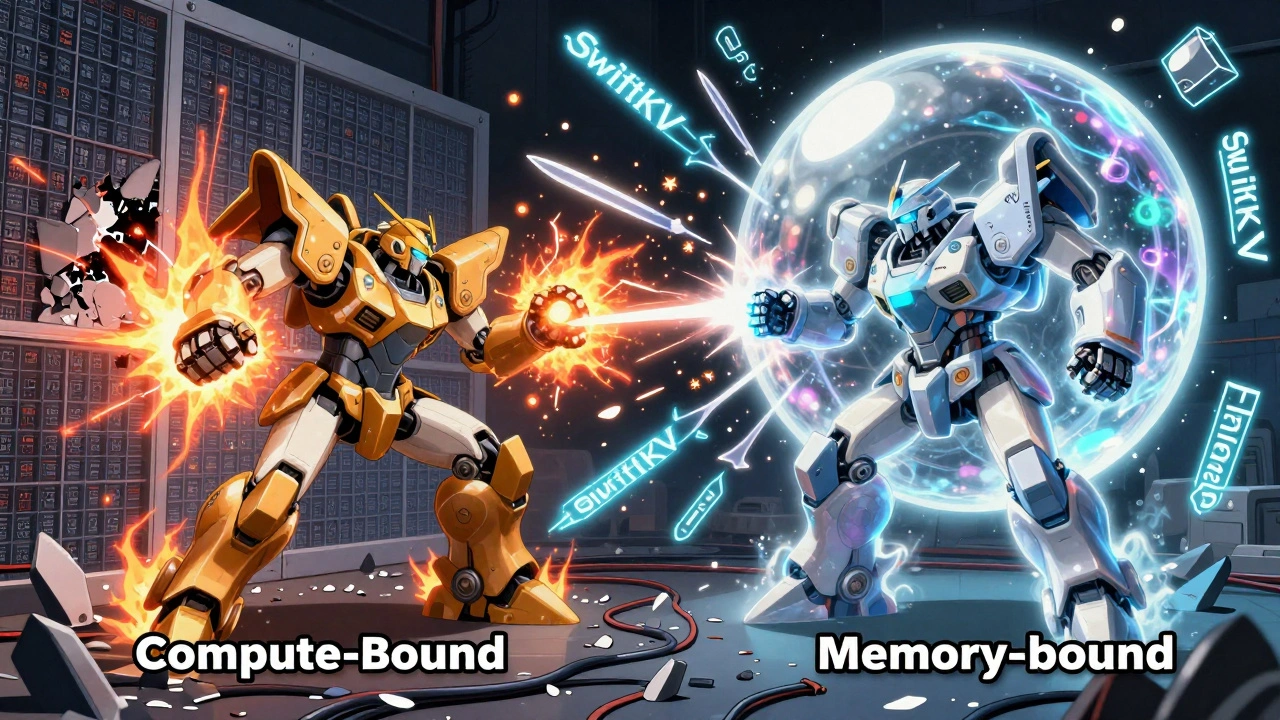
What Doesn’t Work (And Why)
Many tools promise “magic compression.” Most deliver nothing.- KV cache compression: Techniques like Merge-all-Layers sound great. But Snowflake tested them on Llama 3.1 8B and 70B. Results? Less than 3% throughput gain. The model was still waiting for memory, not running out of it.
- Aggressive quantization: Going below INT8 without calibration? You’ll lose accuracy on reasoning tasks. That’s not worth it for enterprise apps.
- Ignoring batch size: Small batches (like 1 or 2) are common in chat apps. But they underutilize GPUs. You need batching to hit peak compute. If you can’t batch, optimize for prefill, not memory.
One enterprise user on HackerNews said their legal document summarization system crashed after they used KV cache compression. The model started hallucinating key clauses. Accuracy dropped 4%. Compliance team shut it down.
Getting Started: A Real-World Checklist
You don’t need a PhD to deploy an LLM efficiently. But you do need a plan.- Profile first: Use NVIDIA Nsight Systems. See where time is spent-is it attention? KV cache? Layer transfer?
- Classify your workload: Is it long prompt + short output (compute-bound)? Or short prompt + long output (memory-bound)?
- Choose your tool: For compute-bound → use SwiftKV or FlashAttention-3. For memory-bound → use tensor parallelism + INT8.
- Test accuracy: Run your model on 100 real user prompts. Compare output quality before and after optimization.
- Monitor over time: Input distributions shift. A model that worked in August might fail in November if users start sending longer queries.
Experienced ML engineers say it takes 2-3 months to get good at this. But the payoff is huge. One FinTech startup got 137 tokens/sec throughput on Mistral 7B at 8K context using INT8 + tensor parallelism. Their monthly GPU bill dropped 40%.

The Future: What’s Coming Next
The hardware is catching up. NVIDIA’s Blackwell B200 GPU (March 2024) comes with 192GB of HBM3e memory-designed specifically for KV cache. Samsung and IBM are building Compute-in-Memory (CIM) chips that skip the CPU-GPU memory bottleneck entirely. Early tests show 5.2x speedups and 3.7x better energy efficiency.But the real shift is in model design. Meta’s upcoming Llama 4 (expected Q2 2025) is rumored to use memory-efficient attention patterns tuned for NVIDIA’s next-gen hardware. The days of brute-force transformers are ending. The future is co-design: models built for hardware, not the other way around.
Still, the warning from Bernstein Research holds: “Without fundamental architecture changes, transformer memory requirements will outpace hardware improvements by 2027.” That means optimization isn’t optional anymore. It’s survival.
Frequently Asked Questions
What’s the biggest memory hog in LLM inference: weights or KV cache?
For short sequences (under 8K tokens), model weights are the main memory user. But for longer sequences-common in enterprise chat, code generation, or document summarization-the KV cache becomes larger. A 70B model with a 32K context can use over 150 GB for KV cache alone, surpassing the 140 GB needed for weights. The bottleneck has shifted from storage to caching.
Is INT4 quantization safe for production use?
Only if you’ve tested it on your specific data. INT4 cuts memory usage in half compared to INT8, but it can reduce reasoning accuracy by 5-10%, especially on tasks like math, legal analysis, or code generation. Use it for simple Q&A or customer service bots, but avoid it for compliance-critical applications. Always run accuracy benchmarks before deploying.
Why does my LLM slow down when I increase the context length?
Because attention scales quadratically. Doubling the context length from 4K to 8K doesn’t double the time-it multiplies it by four. The model has to compute attention between every token pair. FlashAttention reduces this from O(n²) to O(n), making longer contexts feasible. Without it, you’ll hit memory limits and slow to a crawl.
Should I use pipeline or tensor parallelism?
Use tensor parallelism if your bottleneck is compute (long prompts, slow prefill). Use pipeline parallelism if your bottleneck is memory (long outputs, high KV cache usage). But pipeline parallelism introduces overhead when batch sizes are small. Most teams start with tensor parallelism-it’s more predictable.
What’s the best tool for optimizing LLM inference today?
For open-source, vLLM with FlashAttention-3 and INT8 quantization is the most reliable. For commercial, Prem AI and TensorWave offer managed optimization with better support. If you’re running long-context workloads, SwiftKV (launched Sept 2024) is the fastest way to reduce prefill latency. Choose based on your workload type-not popularity.
How do I know if my deployment is memory-bound or compute-bound?
Use NVIDIA Nsight Systems. Look at GPU utilization. If utilization is low (below 30%) and memory bandwidth is maxed out, you’re memory-bound. If utilization is high (70%+) and memory bandwidth is underused, you’re compute-bound. Most teams guess wrong. Don’t.
Will future hardware solve this problem?
Hardware helps, but it’s not a cure. Blackwell GPUs have more memory, but model sizes are growing faster. Compute-in-Memory chips show promise, but they’re still experimental. The real solution is smarter software: attention optimizations, prefill reduction, and models designed for memory efficiency. The future belongs to systems that optimize both architecture and algorithm.
Next Steps
If you’re deploying LLMs today, don’t wait for perfect hardware. Start with profiling. Run a simple test: take your most common user prompt, double its length, and measure latency. If it quadruples, you’re hitting the attention wall. That’s your signal to implement FlashAttention or SwiftKV.For teams stuck with legacy systems: upgrade to INT8 quantization and enable tensor parallelism. It’s low-hanging fruit. For startups building new apps: design for long context from day one. Use vLLM. Test with real data. Track accuracy, not just speed.
The goal isn’t to run the biggest model. It’s to run the right model, efficiently, reliably. That’s what separates successful deployments from expensive failures.
Elmer Burgos
This is such a good breakdown. I've seen so many teams throw more GPUs at the problem and still get crushed by latency. The KV cache thing is wild-like the model remembers too much and forgets how to breathe.
FlashAttention-3 is a game changer. I ran a 70B on an A100 with 64K context last week and it didn't even blink. No OOM, no drama. Just smooth.
Kirk Doherty
Honestly I just use vLLM and forget about it. Works fine for my chatbot. No need to overthink unless you're doing legal docs or something. INT8, tensor parallel, done.
Dmitriy Fedoseff
You folks are missing the forest for the trees. This isn't about FlashAttention or INT4 or even KV cache. It's about the fundamental arrogance of the transformer architecture. We built a system that demands exponentially more memory just to remember what it said five seconds ago. That's not intelligence. That's a memory leak with a PhD.
Meta's Llama 4 rumors? Good. But we need architectures that forget on purpose. Not optimize the leak-design systems that don't leak in the first place. The future isn't bigger GPUs. It's smarter forgetting.
Meghan O'Connor
You say 'FlashAttention-3 cut memory usage by 40%' but you don't cite the paper. Also, '150 GB for KV cache'? Where's the math? You're using 70B model with 32 layers, 8 heads, 4K context - that's 70B * 2 * 32 * 8 * 4096 * 2 bytes? No. That's not how you calculate it. You're missing the head dimension. And why are you assuming 16-bit for weights but 32-bit for KV? Inconsistent. This whole post is sloppy.
Morgan ODonnell
I think the biggest takeaway is just don't guess what's slowing you down. Use Nsight. I used to think my model was memory-bound because it was big. Turned out it was compute-bound from prefill. SwiftKV cut my latency in half. No fancy hardware, just better code. Simple.
Liam Hesmondhalgh
Americans and their 'just use vLLM' nonsense. In Ireland we actually profile before we deploy. You think INT4 is fine? My cousin's startup used it for medical notes and the AI started recommending aspirin for strokes. That's not optimization. That's negligence. Stop being lazy and test your damn models.